What Is a Minecraft Server Network?
A server network links several servers — minigames, survival, a hub — behind one IP, so a lobby lets you jump between games without reconnecting.
A server network is a group of separate Minecraft servers — a minigames server, a survival world, maybe a creative world and a hub — wired together behind a single IP address, so connecting to that one address drops you into a lobby and picking a game teleports you across to whichever server runs it, with no disconnecting and no retyping an address. A plain standalone server is one world running on one machine; a network is a bunch of those stitched together so they feel like one place. The thing that makes that work is a piece of software called a proxy, plus a spawn area called a hub, and both are easier to picture than they sound.
What it feels like when you join a network
From your side, joining a network is identical to joining any other server. You open Multiplayer, add the one IP, and connect. There's no extra step, no second address, nothing that tells you up front whether you've joined a single server or a network of twenty.
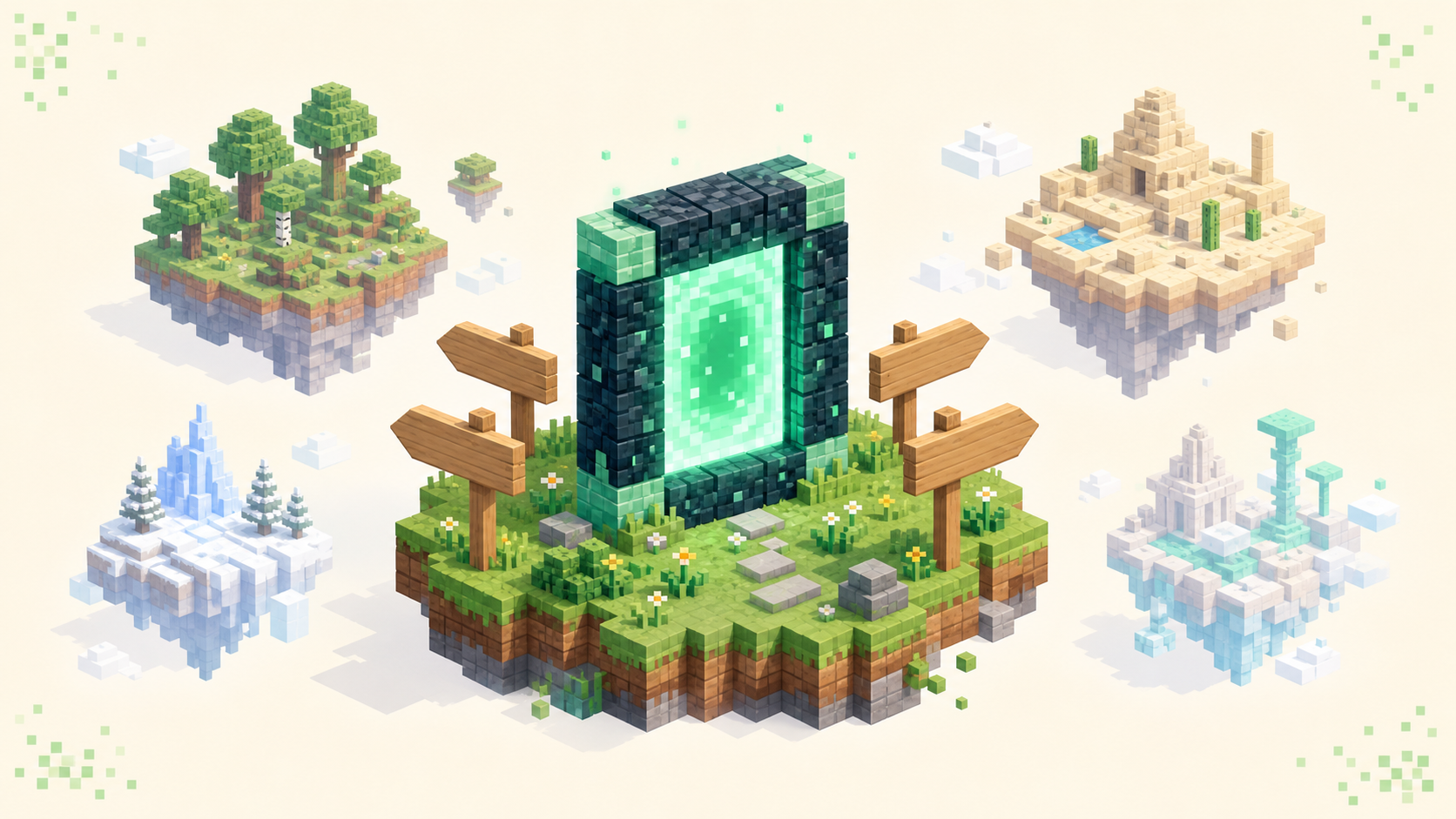
The giveaway is where you land. Instead of spawning into a survival world or a minigame, you appear in a hub — sometimes called a lobby. It's a small built area, usually a fancy spawn platform or a floating island, and it isn't a real gamemode. You can walk around in it, but there's nothing to do there except pick where you actually want to go.
How you pick varies by network. Often there are signs or portals you walk into, NPCs you right-click, or a compass or chest-style menu that opens a grid of game icons you click. Some networks also let you type a command like /server survival if you already know where you're headed.
Once you select a game, you'll see a short "Connecting..." screen for a second or two, and then you're standing in that gamemode's world. You did all that without leaving the game or re-typing an address, and every game on that network lives behind the same single IP you started with.
The proxy: one door into many rooms
The proxy is the program that makes one address stand in for the whole network. It sits in front of all the sub-servers and acts as the single front door. When you connect, you're actually connecting to the proxy, and it quietly hands your connection off to the right backend server in the background.
That's the reason the whole thing looks like one IP. The individual game servers usually aren't exposed to the internet directly — you only reach them by going through the proxy. So when you click "Survival" in the hub, the proxy is what moves you over to the survival backend, and it does that without dropping your connection to the game.
If you're curious about the software, the original and still-common proxy is BungeeCord. The modern one most new networks reach for is Velocity, which is faster and handles connections more securely; PaperMC's older Waterfall fork was declared end-of-life back in 2024, so you'll see it less and less. None of that matters from a player's seat, though. You never install or even see any of it — it's entirely server-side, and you join with the normal game client.
A way to keep it straight: the proxy is the receptionist who already knows which room every game is in, so you check in once and it sends you to the right one.
Why each game is its own separate server
Each sub-server runs its own world and its own plugins, with settings that have nothing to do with the others. The minigames server doesn't load survival's economy plugins, and survival doesn't carry around the minigames maps. If you want a sense of how different those server types really are under the hood, that's the point — a survival world and a minigames lobby are barely the same kind of software once you look past the shared spawn.
Running them separately buys the owners a few things. The big one is isolation: because each game is its own process, one crashing doesn't take the rest down with it. If the survival server restarts, the proxy keeps you sitting in the lobby and shows a "server offline" notice for that one game, instead of kicking you off the whole network.
It also spreads the load. A busy survival world and a chaotic minigames lobby can sit on different hardware, so a packed minigame doesn't drag survival's tick rate down. And it lets owners work on one game at a time — they can restart, update, or reconfigure survival without touching minigames, so the rest of the network stays up while they do it. That ability to grow and maintain each piece on its own is really the whole reason networks exist.
Network vs a single standalone server
A standalone server is one world, usually one gamemode, running as a single thing. You join it and that's the entire server — there's nowhere else to go. A network is many standalone-style servers sitting behind one proxy, presented as a single destination.
The easiest way to tell which you've joined is, again, where you spawn. Land in a hub with portals and NPCs leading off to several different gamemodes, and you're on a network. Spawn straight into the actual game world, and it's a single server.
Worth saying plainly: "network" isn't a separate kind of game. Any gamemode can be one of the sub-servers — survival, skyblock, factions, whatever. The network is just the plumbing connecting them, not a gameplay style of its own.
It's also a different thing from a Realm, which beginners sometimes mix up. A Realm is a small private always-on world for you and a handful of friends, not a multi-server network with a lobby. Either way, joining is the same on your end — same Multiplayer screen, same single address.
Does a network change how you join or your ping?
Joining doesn't change at all. You add the one address and connect, exactly like any other server, and the proxy sorts out the rest.
Ping is slightly more interesting but works out the same in practice. When you connect, you're measuring latency to the proxy, and the backend game servers are normally in the same datacenter as it. So the distance between you and that region is still what decides your ping, which means the usual advice on lowering your ping applies just as it would to a standalone server.
Expect the short loading screen every time you switch games. That's the proxy moving you from one backend to another, not a disconnect, and it's completely normal — it doesn't mean anything went wrong.
One practical heads-up, because it surprises people: your inventory and progress generally don't follow you from one sub-server to another unless that game is built to share them on purpose. With that in mind, the live ranked server list is a good place to go find a network worth trying.
FAQ
Why don't my items and progress carry over between a network's servers?
Because each sub-server is a genuinely separate server with its own world and storage. The survival server saves your inventory in its own files, and the minigames server has no idea those items exist. Networks keep them apart on purpose — you wouldn't want your survival diamonds turning up in a bedwars match. A few things are sometimes shared across the whole network by design, like your chat name, rank, or friends list, because the proxy or a linked database handles those centrally. But by default, what you collect on one sub-server stays on that sub-server.
Do I need mods or special software to join a network?
No. The proxy and everything that routes you between servers runs on the host's side, so from your end you connect with the normal game client exactly like joining any single server — add the one address and click join. The only exception is a modded network, which is built around a specific modpack; there you install that modpack first, then connect the same way. For a plain minigames or survival network, the vanilla client is all you need.
Can I jump straight to a game without going through the hub?
Sometimes. If a network supports /server <name> commands, you can connect to the IP and type the command to skip the lobby entirely, as long as you remember the exact sub-server name. A few networks also publish a direct address for one specific game, or let you set a "default" server so you land there automatically instead of the hub. But the hub is the reliable route, especially the first time, since it shows you the full menu of what's actually running.
Is every big server a network, and is a network always better?
Most large multi-gamemode servers are networks, because splitting games across separate servers is what lets them run minigames, survival, and creative side by side without one overloading the rest. But a network isn't automatically better than a standalone server — it's just a different shape. If you only want one well-run survival world, a single dedicated server can feel tighter and more close-knit than a sprawling network. Pick based on whether you want variety under one roof or one focused community.