How to Get the Twisted Cape and Hero Cape in Minecraft
Both come from Minecraft Dungeons II and unlock on Java and Bedrock. Twisted: pre-order by Sept 28. Hero: play Dungeons I, then log into Dungeons II by Dec 31.
Both capes are Minecraft Dungeons II promos, and both unlock in Java and Bedrock once you've signed into Dungeons II and then Minecraft with the same Microsoft account. The Twisted Cape is the pre-order bonus, so its deadline is the one that matters right now: September 28, 2026 at 12pm PDT. The Hero Cape is for people who've played the first Minecraft Dungeons, and you have until December 31, 2026 to claim it. Neither cape can show up before Dungeons II launches on September 29.
Twisted Cape
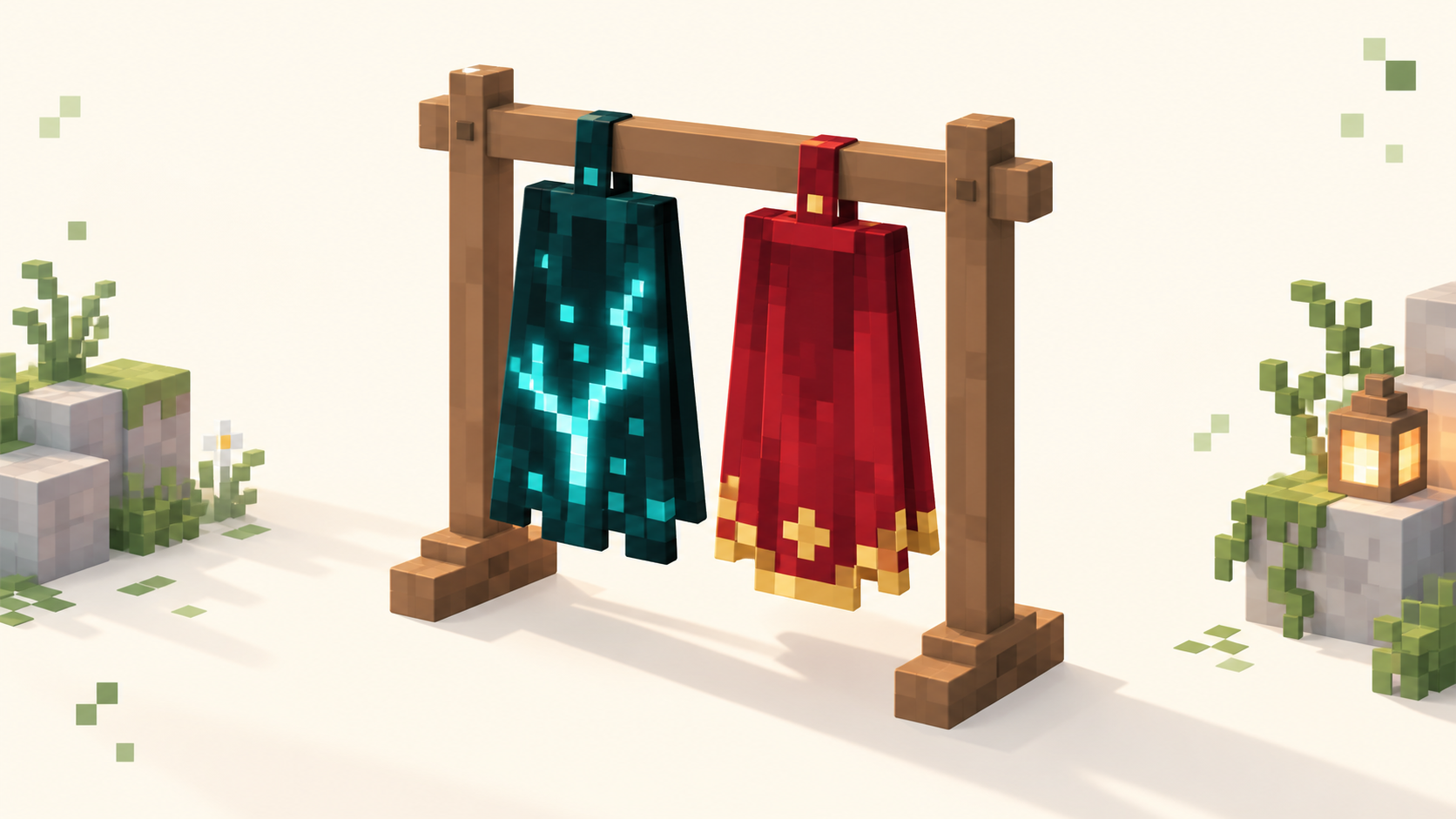
This is the dark sculk one with a Twisted Warden's back printed on it. It comes with an elytra version too.
- Pre-order Minecraft Dungeons II before September 28, 2026 at 12pm PDT. It's coming to Windows, Xbox Series X|S, PlayStation 5, Nintendo Switch and Switch 2, and a pre-order on any of them counts.
- Once the game launches on September 29 (08:00 UTC), open Dungeons II, sign into your Microsoft account in the game, and check that your pre-order items came through.
- Launch Minecraft, Java or Bedrock or both, on that same Microsoft account. The cape will be in your cape list.
If you pre-ordered on PlayStation, Switch or Steam, pay attention to step 2. The cape goes to whichever Microsoft account you sign into inside Dungeons II, not to your PSN, Nintendo or Steam account, so sign in with the account you actually play Minecraft on.
Mojang hasn't announced any other way to get it once the pre-order window closes.
Hero Cape
Red cloth, a golden redstone monstrosity face, and gold trim along the bottom.
- Play the original Minecraft Dungeons on your Microsoft account. You don't need to have unlocked the Hero Cape in the first game. Playing it on the account is what counts.
- Log into Minecraft Dungeons II on the same account before December 31, 2026.
- Log into Minecraft Java and/or Bedrock on that account.
You don't need a pre-order for this one. The catch is that the check is per account: if your old Dungeons save is on a different Microsoft account from your Minecraft one, sign into the first game with your Minecraft account and play it there before you log into Dungeons II.
How to equip them
Java: open the Minecraft Launcher and go to the Skins tab. Hover over your skin, click the three dots, then Edit. Pick the cape and save.
Bedrock: from the main menu, open the Dressing Room (the button under your character), go to the capes section, select the cape and equip it.
Other Java players will see it on any server that runs in online mode, which is almost every public one in our server list. Offline-mode servers don't load capes from Mojang, so there you'll usually show up without one.
If the cape doesn't show up
Almost every time, Dungeons II and Minecraft are signed into different Microsoft accounts. Check the account in the Dungeons II settings and the one in the Minecraft Launcher (or the Bedrock profile screen) and make sure they're the same. After that, sign out of the launcher and back in, or fully close and reopen Bedrock, so it pulls your cape list again.
If you're checking before September 29, it isn't broken. Nothing unlocks until Dungeons II is out and you've logged into it.