Best Skyblock Servers With an Active Community
How to find populated, well-moderated Skyblock servers worth your time — judge population, uptime, staff, ping, and gameplay, then use the live rankings.
A good Skyblock server is one with people on it, because the whole gamemode runs on other players. Custom enchants and a deep progression ladder don't do much when the auction house is empty and there's nobody around to co-op with. So the first thing to judge isn't the feature list, it's whether the community is alive. The current Skyblock servers are ranked by this month's votes and the list updates as votes come in, so here's how to read it well.
What makes Skyblock different, and why community matters more here
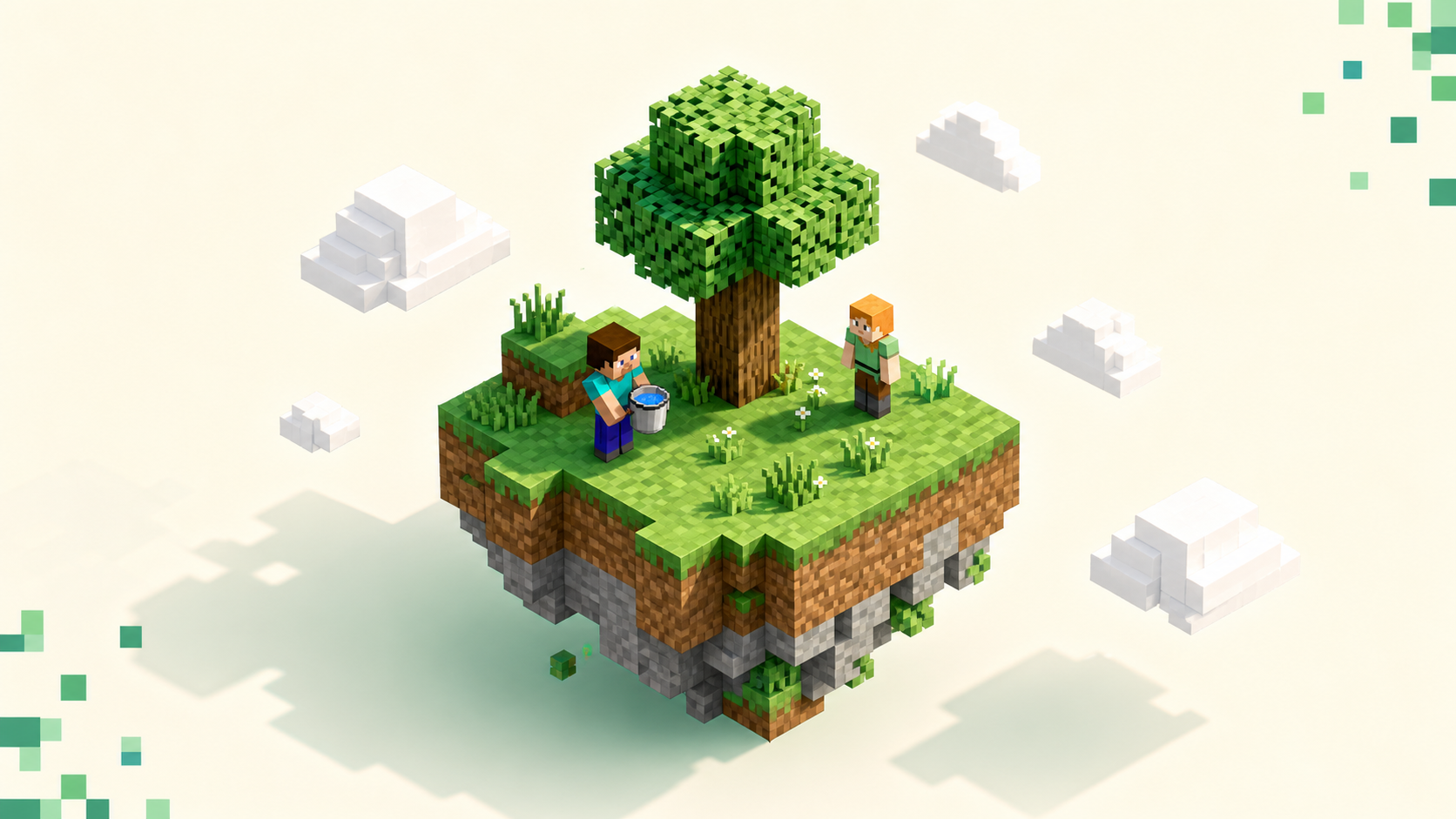
Skyblock drops you on a tiny floating island in an empty void with almost nothing — usually a tree, a lava bucket, and some ice or water, plus a handful of items. There's no terrain around you to explore, so you build a whole world out of scarcity. The first thing most people make is a cobblestone generator: lava meeting water (or melted ice) produces cobblestone you can mine forever, which gives you the endless supply of blocks that early progression runs on.
That part is solo. The reason community is load-bearing in Skyblock specifically is everything built on top of it. Most modern servers center on co-op islands where you invite teammates and share progress, a player-driven auction house or shop economy, and island-level leaderboards you climb against everyone else. None of that means much on a dead server, where you're grinding alone with nobody to trade with. If you're still deciding whether Skyblock is even your mode, the Minecraft server types explained rundown lays the gamemodes side by side.
Population: how to tell a Skyblock server is actually alive
Read the live player count first, but read it in context. A healthy Skyblock community shows people on across the day, not one spike at peak hours and a ghost town the rest of the time. Every listing here shows the live count and online status, and the Skyblock rankings order servers by this month's votes — which is itself a strong tell, because votes mean real players keep showing up.
In the game itself, when you add a server in the Multiplayer menu, the green signal bars and the player count off to the right confirm it's online and how busy it is at that moment. What you want to watch for is hollow numbers. A huge max-player cap sitting next to a near-zero current count, or a count that never seems to move, often means a server that was big years ago and isn't anymore.
This is also why a month of votes beats a raw player count taken once. The count is a single snapshot and a spike doesn't tell you whether anyone comes back, but a vote total reflects players returning day after day. If you want the full mechanics of that, how rankings work covers it.
Uptime and stability: where downtime hurts most in Skyblock
Skyblock is a long-game grind. Minions tick away while you're offline, island levels climb over weeks, and auction-house wealth builds slowly, so downtime and rollbacks hurt here more than almost anywhere else — you can lose real progress, not just a session. Check the uptime figure on each listing; a server that's frequently offline bleeds players and your sunk hours along with them.
The lag-specific red flags are worth knowing because they're particular to this mode. Stuttering when minions and generators are running, item pickups that arrive a beat late, or rubber-banding near a big island farm all point to a host that's overloaded. The fastest way to find out is to just join and move around. Run a lap of your starter island, open a menu or two, and see whether it feels responsive before you sink an evening into it.
Moderation and staff: what keeps a Skyblock economy fair
Active staff matter more on Skyblock than on casual modes because the economy is exploitable. The auction house, shops, and trading all create room for duping and scamming, and without moderation that quietly wrecks the experience for everyone playing straight. Chat spam piles on top of it.
The good signs are easy to spot once you know to look. Rules posted at spawn, staff who actually answer in chat or on Discord, a report system that works, and anti-cheat that catches the obvious hackers. An active Discord is one of the best off-game reads you've got: recent messages, real conversation, staff replying to questions, and event announcements all say the community is tended rather than abandoned. The warning signs run deeper than those good ones simply being absent — if help requests sit unanswered for days, or you load in to find obvious fly or reach hacking running in a PvP-enabled zone with nobody doing anything about it, that's a server the staff have effectively left.
Gameplay depth: matching a Skyblock server to how you want to play
Skyblock servers vary a lot, so it helps to know what you actually want before you judge one as good or bad. Some are about relaxed, infinite-growth building where you just keep expanding your island; others are built around competitive island-top leaderboards where the point is to out-grind everyone. Both are fine — they're just not the same thing.
If you're newer, the features that help most are an island levels or challenges system that gives you clear goals, an in-game guide or tutorial, and a co-op option so you can bring friends. Bigger servers tend to layer on more: custom enchants, automated minions that gather resources while you're away, slayer or boss content, and a structured progression ladder. That's great if you want long-term goals and beside the point if you'd rather keep it simple.
One thing to check if you're playing with friends — most large Skyblock servers are built for Java Edition, so if your group is split across editions, confirm the server bridges Java and Bedrock before everyone settles in.
Tip: If you're new, favor a server with island levels or challenges. Clear goals make the early grind far less aimless when you don't yet know what you're working toward.
Ping and region: a small thing that makes Skyblock feel smooth
Pick a server hosted near you when you can. Lower ping (latency, in milliseconds) means block placement and generator harvesting feel responsive instead of laggy. The green signal bars in the Multiplayer list give a rough read on this, and a closer region usually means better response. It matters less for pure solo building, but a lot for PvP-enabled Skyblock zones or coordinating a co-op island in real time. You can also narrow the directory by location: the country filter takes an ISO code, so something like /servers/country/US pulls servers in that region toward the top.
Putting it together: using the live rankings to pick
The quick scan, in order: real and consistent population, solid uptime, active staff and Discord, gameplay depth that fits how you want to play, and ping you can live with. A live list beats a frozen "top 9" because votes reset every month, so the Skyblock rankings surface the communities that are active right now instead of whatever was big years ago.
So the plan is simple. Open the Skyblock category, shortlist the two or three near the top, join each one, and run the checklist for ten minutes before you commit. If you like the community-and-progress feel of Skyblock but want a more open world to build in, SMP servers scratch a similar long-term itch, and you can compare both ranked lists the same way. And when a server clicks, vote for it — that's how the good communities stay near the top where the next player will find them.
FAQ
How many players make a Skyblock server feel "active"?
There's no fixed number; consistency is what matters. A community feels alive when you see players online across different times of day rather than one peak, an auction house with fresh listings, and people talking in-game or on Discord. A steady current player count on the listing, instead of one that never moves, is the better signal. Check the live counts on the Skyblock rankings and compare a few before committing.
Is Skyblock a good gamemode for total beginners?
Yes. The goals are self-contained on your own island, which makes for a gentle on-ramp, and most servers offer an island-levels or challenges system that tells you exactly what to do next. Start by building a cobblestone generator — lava meeting water or melted ice gives you endless cobblestone — and expand from there. If you want to weigh it against other modes first, see Minecraft server types explained.
Can I play Skyblock with friends on Bedrock and Java together?
Only if the server specifically bridges both editions. Most large Skyblock servers are built for Java Edition, which uses default port 25565, while Bedrock uses 19132, and the two don't connect on their own. If your group is split across editions, confirm a server advertises crossplay before everyone settles in, since co-op islands are a lot more fun together.
What's the catch with custom enchants and slayer content on big servers?
They're built to keep you grinding for a long time, which is the point if you want long-term goals, but they also raise the stakes on everything else above. The fancier the progression systems, the more a rollback or an unpatched dupe costs you, so weigh that depth against the server's uptime and how active its staff are rather than treating a long feature list as the deciding factor on its own.